
Recipe Convert Pro2.02 - Google Play
You'll be able to see results in few seconds.
Publisher Description
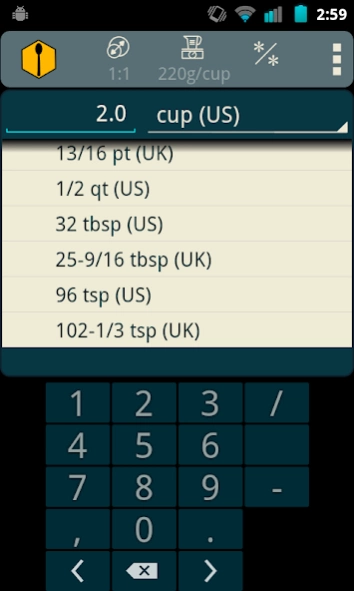
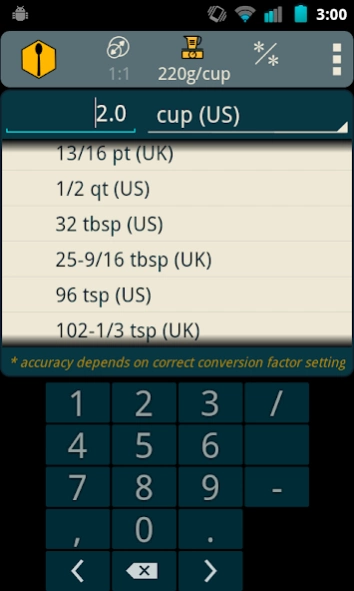

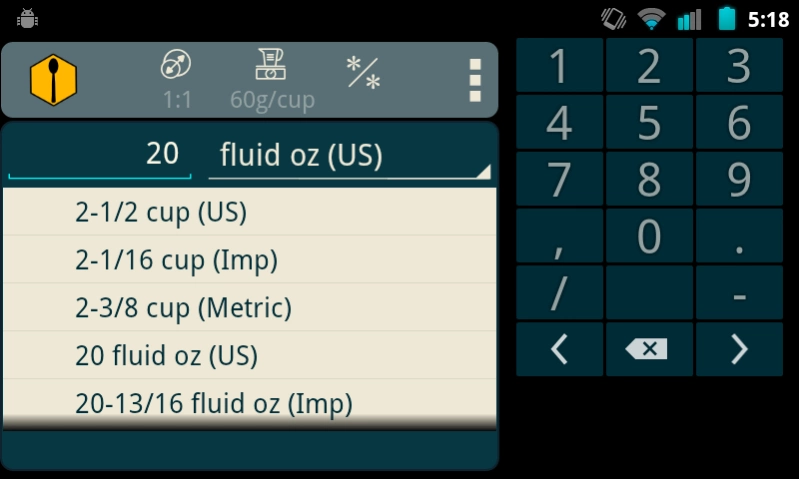
Recipe unit conversion & servings yield calculator
Recipe unit conversion calculator: Convert volume & weight measurements in recipes. Makes scaling servings yields up or down easy for cooks, bakers, & chefs at home or the restaurant
KEY FEATURES:
* Values can be entered and displayed as either fractions or decimals
* Makes the coveted "grams to cups" conversion, as well as other weight/volume conversions, based on user-selectable weight factor parameter: includes common 180 quick-searchable ingredients with factors already figured.
* Quick switch between converting units of measure to scaling yields (changing how many servings a recipe makes)
* Also serves as a general reference of cooking units
Pro includes features not available in the free version. By all means download and test drive the free version first!
TO DO:
+ Add ability to "favorite" ingredient weights for faster reference
+ Add feature to show the measure of accuracy for converted units when displayed as fractions to aid in choosing the closest
+ Add feature to allow displaying conversions as mixed units (ie: "1 cup + 2 tsp")
About Recipe Convert Pro
The company that develops Recipe Convert Pro is Red Binary. The latest version released by its developer is 2.02.
To install Recipe Convert Pro on your Android device, just click the green Continue To App button above to start the installation process. The app is listed on our website since 2015-03-21 and was downloaded 0 times. We have already checked if the download link is safe, however for your own protection we recommend that you scan the downloaded app with your antivirus. Your antivirus may detect the Recipe Convert Pro as malware as malware if the download link to com.redbinary.rcpd is broken.
How to install Recipe Convert Pro on your Android device:
- Click on the Continue To App button on our website. This will redirect you to Google Play.
- Once the Recipe Convert Pro is shown in the Google Play listing of your Android device, you can start its download and installation. Tap on the Install button located below the search bar and to the right of the app icon.
- A pop-up window with the permissions required by Recipe Convert Pro will be shown. Click on Accept to continue the process.
- Recipe Convert Pro will be downloaded onto your device, displaying a progress. Once the download completes, the installation will start and you'll get a notification after the installation is finished.
Program Details
System requirements
Download information
Pricing
Version History
version 2.02
posted on 2015-03-21
2.02 [Mar 21, 2015]
+ changed Change Yield fields to allow fractional input
2.01 [Oct 27, 2013]
+ recompiled with 4.3 SDK with no changes
Disclaimer
Official Google Play Link
We do not host Recipe Convert Pro on our servers. We did not scan it for viruses, adware, spyware or other type of malware. This app is hosted by Google and passed their terms and conditions to be listed there. We recommend caution when installing it.
The Google Play link for Recipe Convert Pro is provided to you by apps112.com without any warranties, representations or guarantees of any kind, so access it at your own risk.
If you have questions regarding this particular app contact the publisher directly. For questions about the functionalities of apps112.com contact us.
